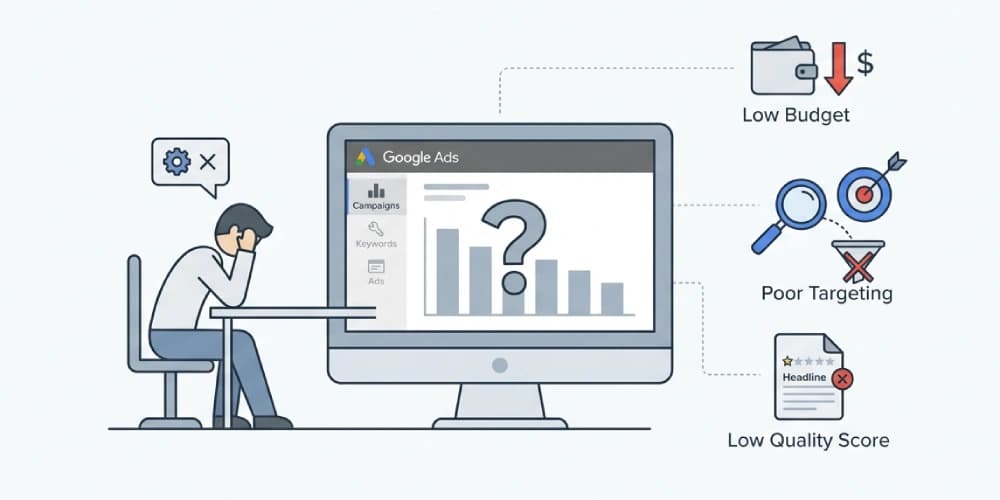
When someone says "Google Ads is not working," they usually mean one of two things:
- campaigns are not serving
- campaigns are serving, but results are poor
Those are very different problems.
One is usually a delivery issue inside the account. The other is usually a strategy, tracking, or offer problem.
If you do not separate those two situations, it becomes easy to waste time fixing the wrong layer.
The Short Answer
Google Ads is usually "not working" because of one or more of these issues:
- campaigns are paused, limited, or blocked from serving
- billing or verification problems stopped delivery
- targeting is too narrow
- bids or budgets are too weak for the auction
- ads or assets are disapproved
- conversion tracking is incomplete or misleading
- the offer or landing page does not match search intent
The fix depends on whether the problem is delivery, measurement, or economics.
First: Is Google Ads Not Running, or Just Not Producing Results?
Start here.
Scenario 1: The campaign is not running
You may see:
- zero impressions
- almost no spend
- eligible campaigns that still do not serve
- sudden delivery drops
That usually points to an account, campaign, bidding, or policy issue.
Scenario 2: The campaign is running, but results are poor
You may see:
- clicks without leads
- leads without quality
- rising CPCs without pipeline growth
- conversions that do not turn into revenue
That usually points to targeting, landing-page fit, tracking quality, or weak business economics.
11 Reasons Google Ads Is Not Working
1. Campaigns, ad groups, or assets are paused
This sounds obvious, but it happens constantly, especially after restructures, imports, or seasonal schedule changes.
Check:
- campaign status
- ad group status
- ad status
- asset group status
- ad schedule
If the campaign is not eligible to serve, nothing else matters yet.
2. Billing or account verification is blocking delivery
If payment fails, billing setup breaks, or account verification is incomplete, campaigns may stop serving even when the setup looks normal.
This is one reason a Google Ads account can appear "active" while delivery quietly stalls.
If the issue is policy-level rather than billing-level, read Why Google Ads Accounts Get Suspended: Common Causes and Recovery Steps next.
3. Targeting is too restrictive
Many accounts choke delivery by combining:
- small location targets
- exact match only
- aggressive audience restrictions
- narrow ad schedules
- low-volume keywords
Each setting may look reasonable on its own. Together, they can remove nearly all eligible traffic.
4. Bids are too low for the auction
If competitors are willing to pay more and your Ad Rank is weak, Google may barely enter you into the auction.
That does not always mean you should raise bids blindly.
It may mean:
- your keywords are too competitive
- your Quality Score is weak
- your landing page does not support relevance
- your campaign structure is too broad for efficient bidding
If rising auction costs are the bigger issue, read Why Google Ads Is So Expensive: The Real Reasons Costs Rise.
5. The budget is too small for the strategy
Some campaigns are technically live but practically underfunded.
This is common when teams try to run:
- too many keywords
- too many locations
- too many campaign types
- Smart Bidding without enough conversion volume
That setup spreads data too thin and prevents Google from learning properly.
6. Ads or assets were disapproved
A disapproval can stop parts of the account from serving immediately.
Common causes include:
- destination problems
- trademark issues
- editorial violations
- unsupported claims
- policy-sensitive industries
If the account itself is still in good standing, this is usually fixable through creative, landing-page, or compliance edits.
7. The campaign structure does not match search intent
Even when delivery is happening, Google Ads often looks broken because the account is mixing very different intents together.
For example:
- branded and non-branded traffic in the same campaign
- high-intent and research terms in the same ad group
- different service lines sharing the same landing page
That structure makes bidding less efficient and reporting less actionable.
8. The landing page is weakening conversion
Sometimes the ad account is fine.
The page is the problem.
If the landing page is slow, generic, or mismatched to the query, traffic may arrive but fail to convert. That gets interpreted as "Google Ads is not working" when the real issue is offer-page alignment.
9. Conversion tracking is incomplete or inaccurate
This is one of the most expensive hidden problems.
If Google Ads only sees weak or partial conversion signals, Smart Bidding will optimize toward the wrong outcome.
That often looks like:
- plenty of leads, but poor quality
- conversion volume that does not match the CRM
- campaigns favoring cheap traffic over valuable traffic
If your reporting already feels unstable, read Why GA4 and Google Ads Conversion Numbers Don't Match.
10. Google Ads is optimizing for the wrong conversion action
Many accounts count the earliest easy action as success:
- page view
- button click
- basic form submit
That is rarely enough.
If your real business value happens after the first lead, you need stronger conversion architecture. In lead generation accounts, offline conversion tracking for Google Ads often becomes the difference between "traffic" and actual pipeline optimization.
11. The business economics do not support the campaign
Sometimes Google Ads is working exactly as designed.
The real issue is that:
- margins are too thin
- close rates are low
- lifetime value is unclear
- average deal value does not support CPC levels
That is not a platform failure. It is a unit-economics problem.
What to Check in Order
Use this order before making big changes:
- Confirm campaign, ad group, ad, and asset statuses.
- Check billing, verification, and policy alerts.
- Review impression share, lost IS, and search volume.
- Validate targeting restrictions and ad schedules.
- Review bids, budgets, and bid strategy fit.
- Check disapprovals and landing-page issues.
- Audit conversion actions and lead quality.
- Compare Google Ads data with GA4 and CRM outcomes.
That sequence helps you avoid jumping straight into copy or keyword changes when the real blocker is account infrastructure.
When This Becomes a Strategy Problem, Not a Settings Problem
If your campaigns are technically live but performance still feels inconsistent, the issue is usually no longer inside one toggle.
It is usually a combination of:
- weak measurement
- poor funnel alignment
- unclear segmentation
- underqualified traffic
- no feedback loop from CRM to bidding
That is the point where Google Ads consulting becomes more useful than isolated campaign tweaks.
Final Takeaway
Google Ads not working is not one problem.
It is a bucket phrase covering delivery issues, tracking issues, and business-model issues.
If your campaigns are not running, fix eligibility first.
If they are running but not producing profitable outcomes, fix measurement, intent alignment, and conversion quality before assuming the channel itself is broken.